Skip to content
FEUMYour money, your freedom.

Your money, in your hands.

A self-custody wallet made to be understood: create it, back it up, receive, send and keep an exact record, all under keys that never leave your device.

Your wallet starts on your phone.

Create it in the app, write down your recovery phrase and confirm it. From then on, only you control it.

  • Made on your device

    Your keys are created on your phone and never leave it. FEUM has no copy, so nobody at FEUM can move, freeze or reset your wallet.

  • Verified backup

    Write down your recovery phrase, then confirm words from it when FEUM asks. FEUM checks that your backup matches.

  • Restore anywhere

    Your recovery phrase restores the wallet on a new phone, in FEUM or in any compatible wallet.
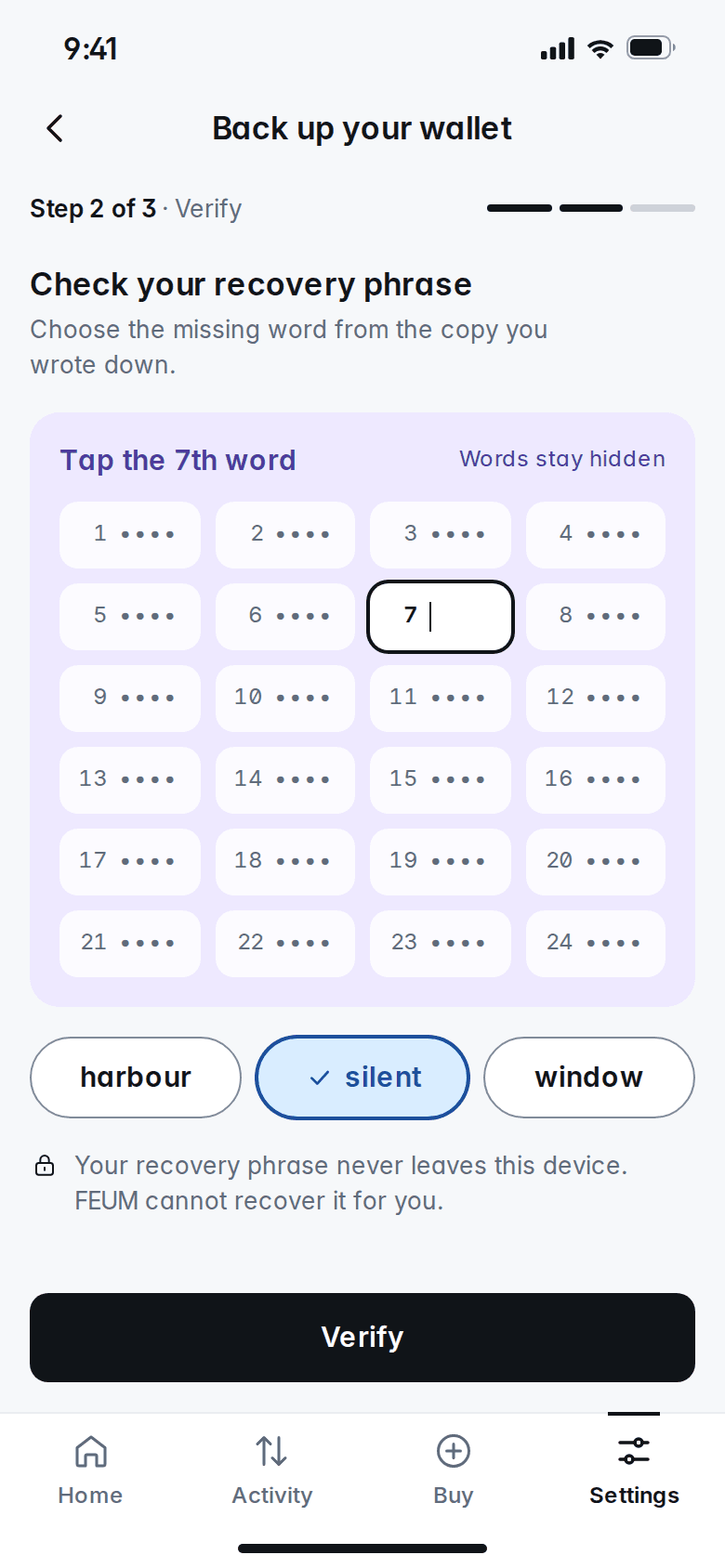
Back up your wallet, step 2 of 3: the words of the recovery phrase stay hidden while you pick the 7th word from three choices

One asset, one network, one address.

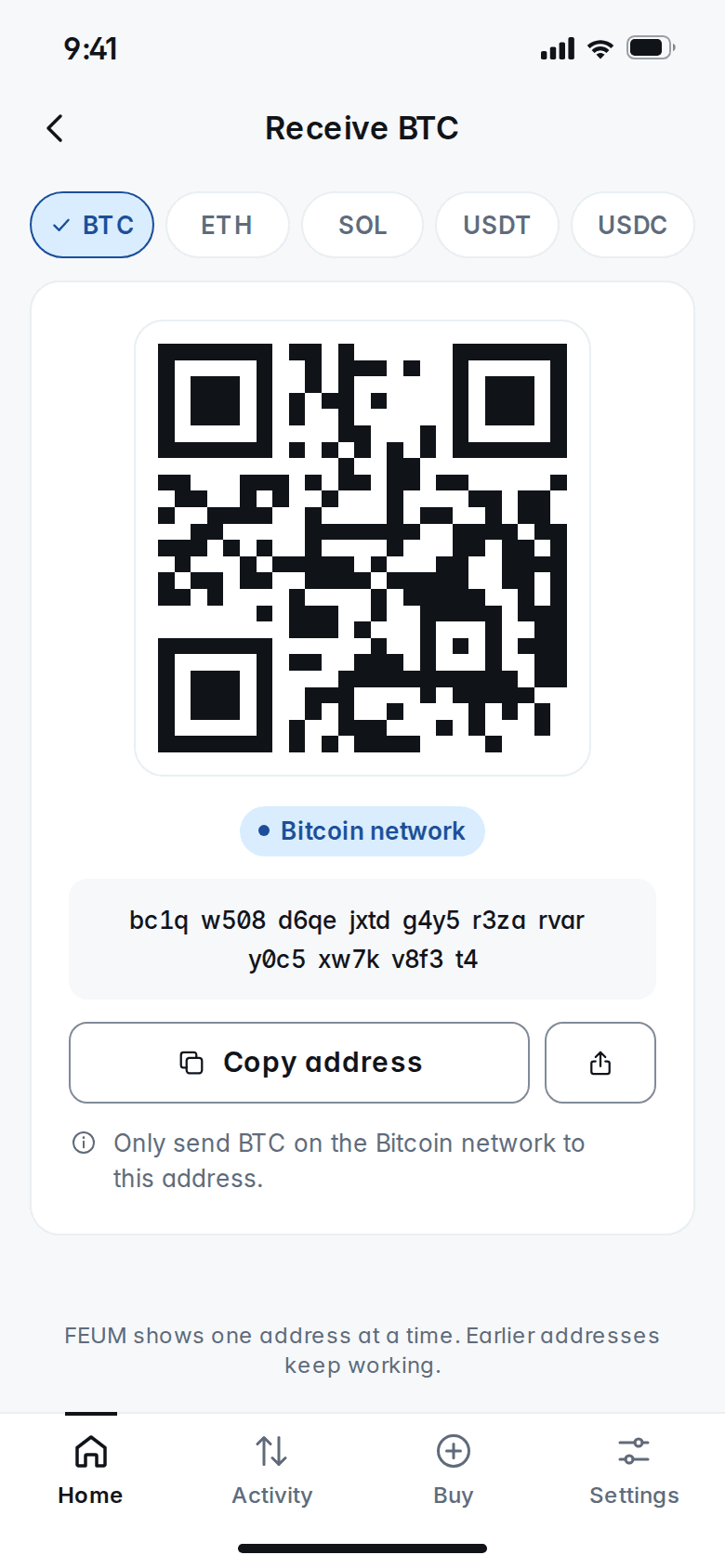
Every receive screen names the asset and the network, and shows the full address with a QR code to scan.

  • Exact asset and network

    Every address is for one asset on one named network. Tether USD and USD Coin arrive on Ethereum only, and the screen says so.

  • One address at a time

    FEUM shows a single address, in full and as a QR code, so there is never a list to choose from. A new one is ready each time you receive.

  • Earlier addresses keep working

    FEUM keeps checking the addresses you used before, so a payment sent to an old one still shows up in your wallet.

Receive BTC screen: a QR code, the Bitcoin network label, the full address and a Copy address button

Nothing leaves without your approval.

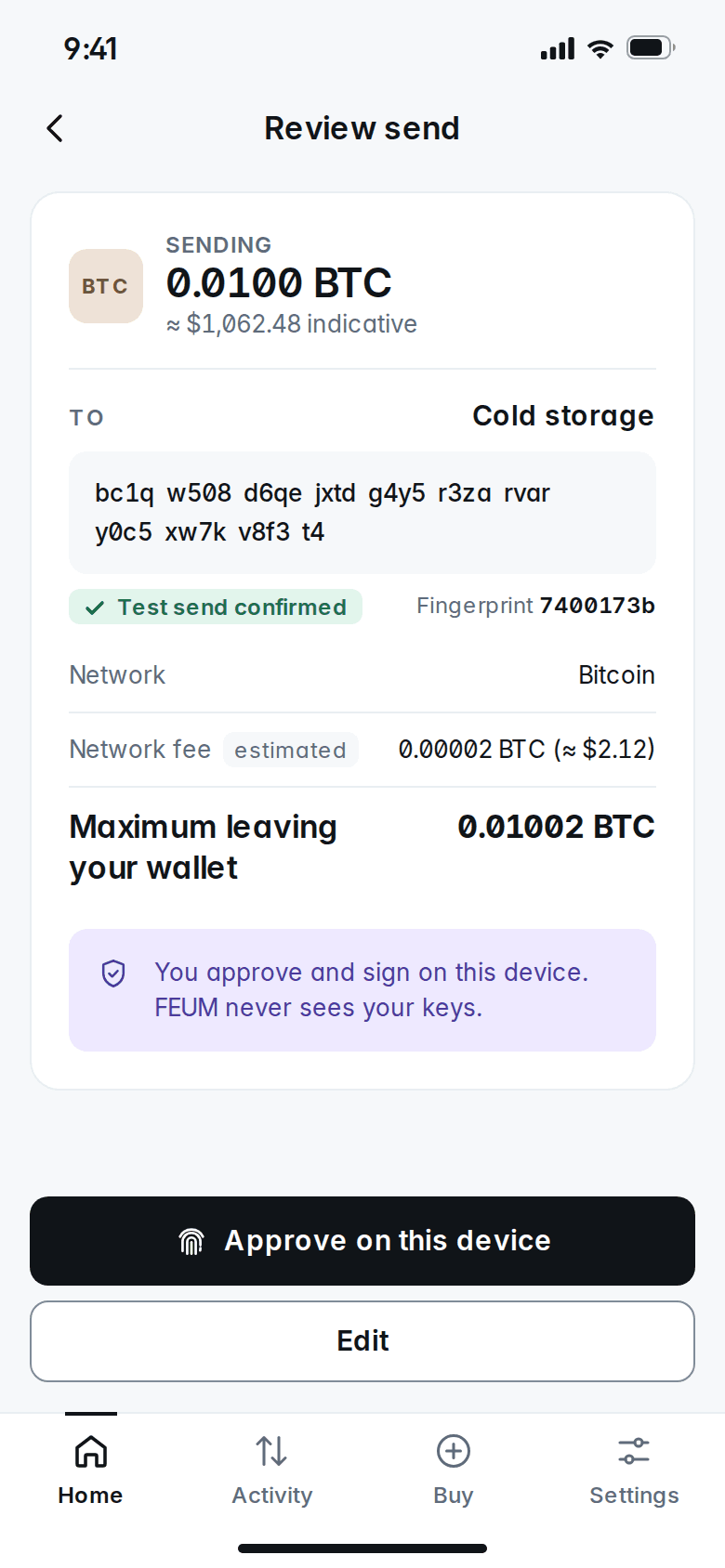
Sending is final, so FEUM shows you everything first, on the device that holds your keys.

  • Review on the screen that signs

    The amount, the full address, the network and the fee are on one screen. Change any of them and the approval starts again.

  • Network checks every time

    Each address is checked against the asset and network you chose. An address for the wrong network is refused, never guessed.

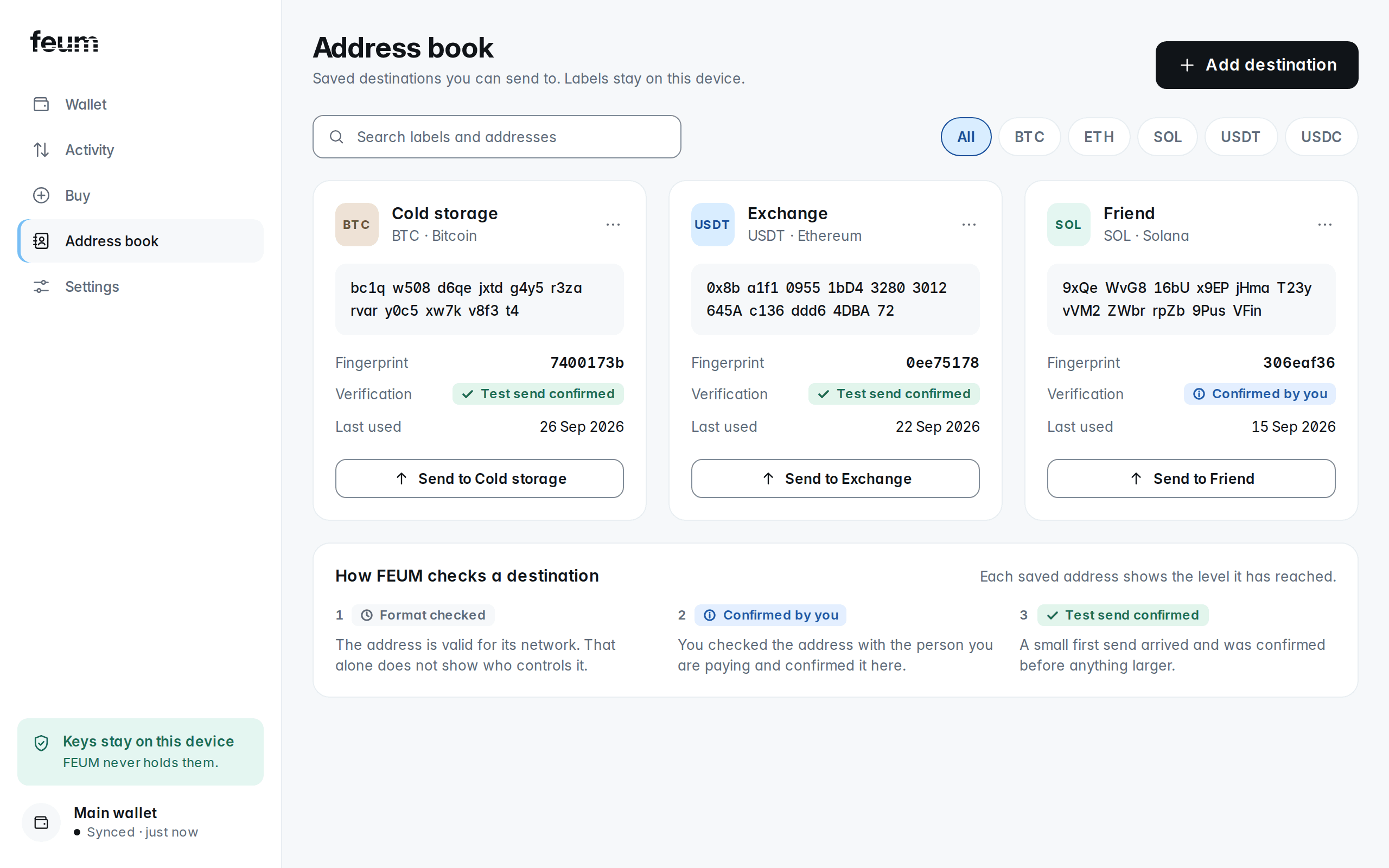
  • Address book with verification

    Save the addresses you send to. Each one shows how it was verified: format checked, confirmed by you, or confirmed by a small first send.

Review send screen: 0.0100 BTC to Cold storage, with the full address, the Bitcoin network, the network fee and an Approve on this device button

Organised your way.

Keep separate wallets for separate purposes, label what matters and choose which servers your wallet talks to.

  • Several wallets

    Keep everyday spending and long-term savings apart, each with its own balances and activity.

  • Labels and notes stay local

    Name your addresses and add notes to any payment. Both are stored on your device, not on FEUM's servers.

  • Choose your own nodes

    A node is the server that relays your transactions to the network. Use the default, or connect your own.

Address book on desktop: three saved destinations, each with its asset, network, full address, fingerprint and how it was verified

Lose the phone, not the wallet.

Your recovery phrase restores everything on a new device. You need nothing from FEUM to do it.

  • Standard recovery phrase

    Your recovery phrase follows the open standard most wallets share. Nothing about it works only in FEUM.

  • Compatibility notes in your backup

    Your backup export includes notes on the settings another wallet needs to find the same addresses and balances.

  • No FEUM account needed

    Restoring takes only your recovery phrase. No sign-in, no support request and no permission from FEUM.